Table of contents
2 min read
Building EOS Web Apps with Scatter (2/2): Transactions and sign-out
Use a Scatter-bound EOS account to send coins, transfer custom tokens, vote for block producers, and sign out — without ever embedding a private key in your code.
Last time we used Scatter to bind an EOS account to a web page. This post walks through what you can actually do with that bound account — sending coins, transferring custom tokens, voting, and signing out.
Transferring EOS (transfer)
EOS has a transfer command — use it to send EOS tokens from one account to another. Here’s the command and what it returns:

To bring that transfer into a web service, we used eosjs in the previous post. The Scatter-based approach we’re walking through today still uses eosjs, so the calling code is identical. The difference is how the call gets authorized.
this.eos.transfer('babylion1234', 'lazylion1234', '12.0000 EOS', 'this is memo field');That’s the eosjs transfer method — same effect as the CLI command above. Here’s the result:

The one thing that differs is how authentication happens.
As the previous post explained, any blockchain action requires a private key. With eosjs alone, you have to embed it in the source:
let eos = Eos({
    chainId: '038f4b0fc8ff18a4f0842a8f05...',
    keyProvider: [
        "5JR9m7o......",
        "5JAj2AMS5....",
        ......
    ],
    httpEndpoint: "https://eos.greymass.com:443,
    broadcast: true,
    verbose: true,
    sign: true
});
When you then call something like transfer, eosjs looks up the right key in the keyProvider array and signs the transaction with it.
With Scatter bound, you skip that key configuration entirely. Instead, the user sees this prompt:
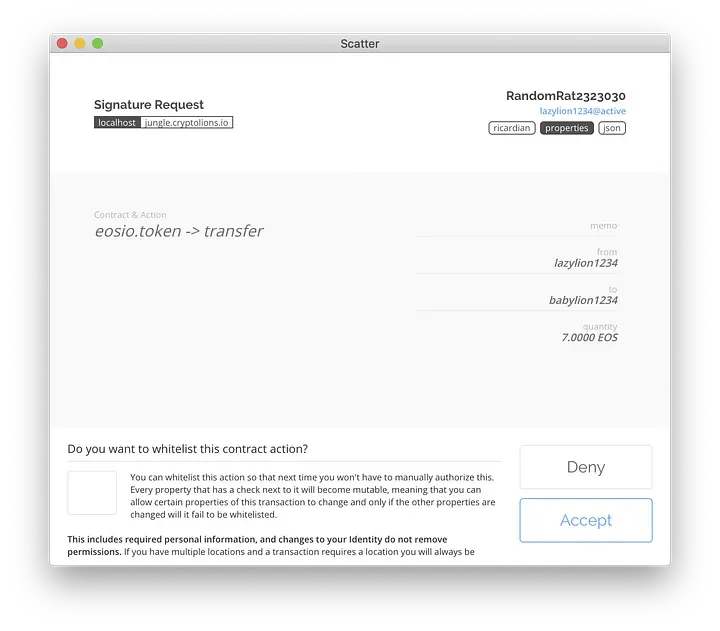
Custom token transfer (transaction)
The transaction method in eosjs handles arbitrary contract actions. Custom token transfers go through the same method, and Scatter pops up its prompt the same way:
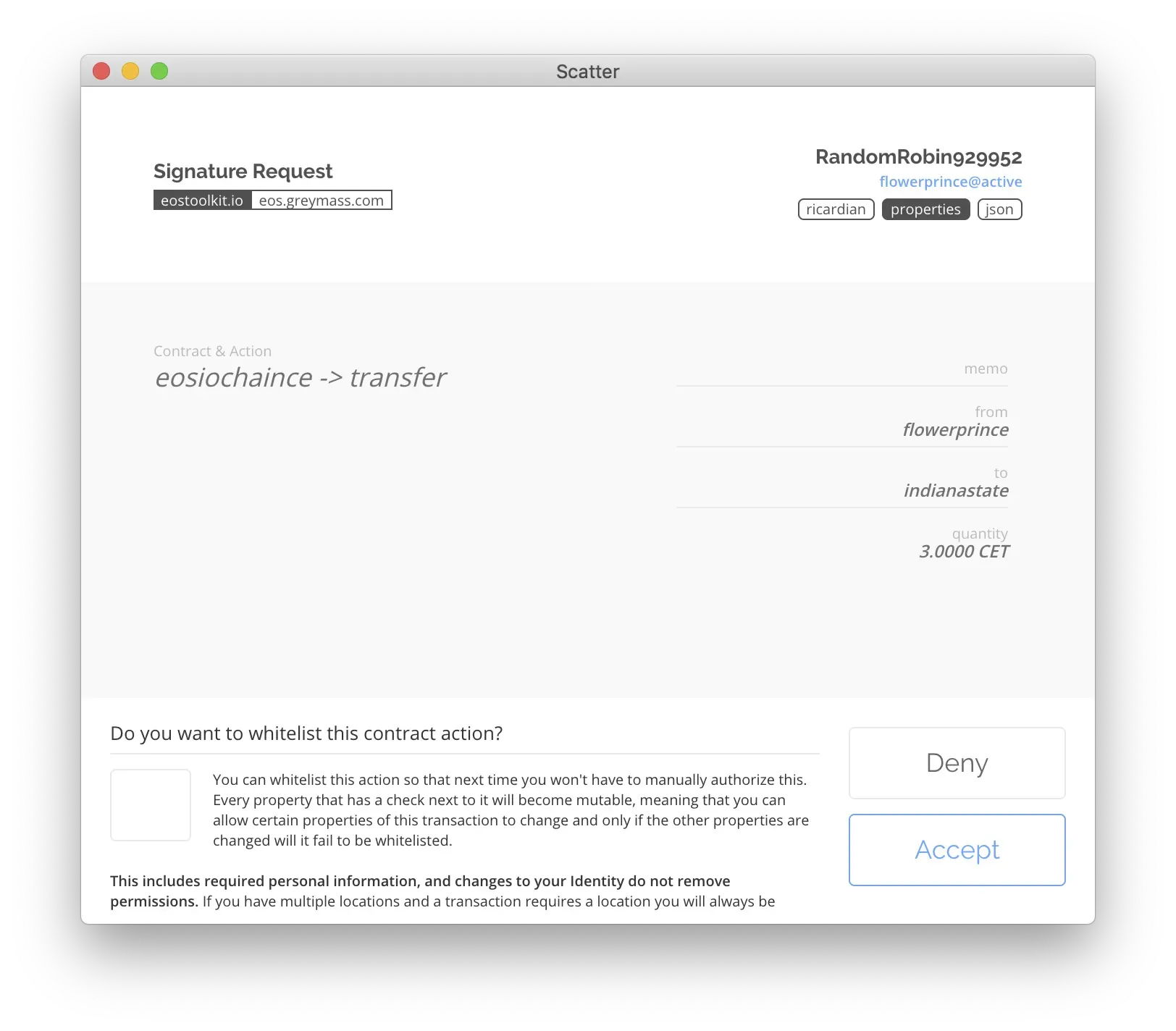
Voting (voteproducer)
As one more example, you can build an EOS BP-vote transaction. Wrap a voteproducer action inside the transaction method:
this.eos.transaction(tr => {
    tr.voteproducer("flowerprince", "", ["acroeos12345", "teamgreymass"]);
});
That’s account flowerprince voting for two block producers. The Scatter approval prompt looks like this:
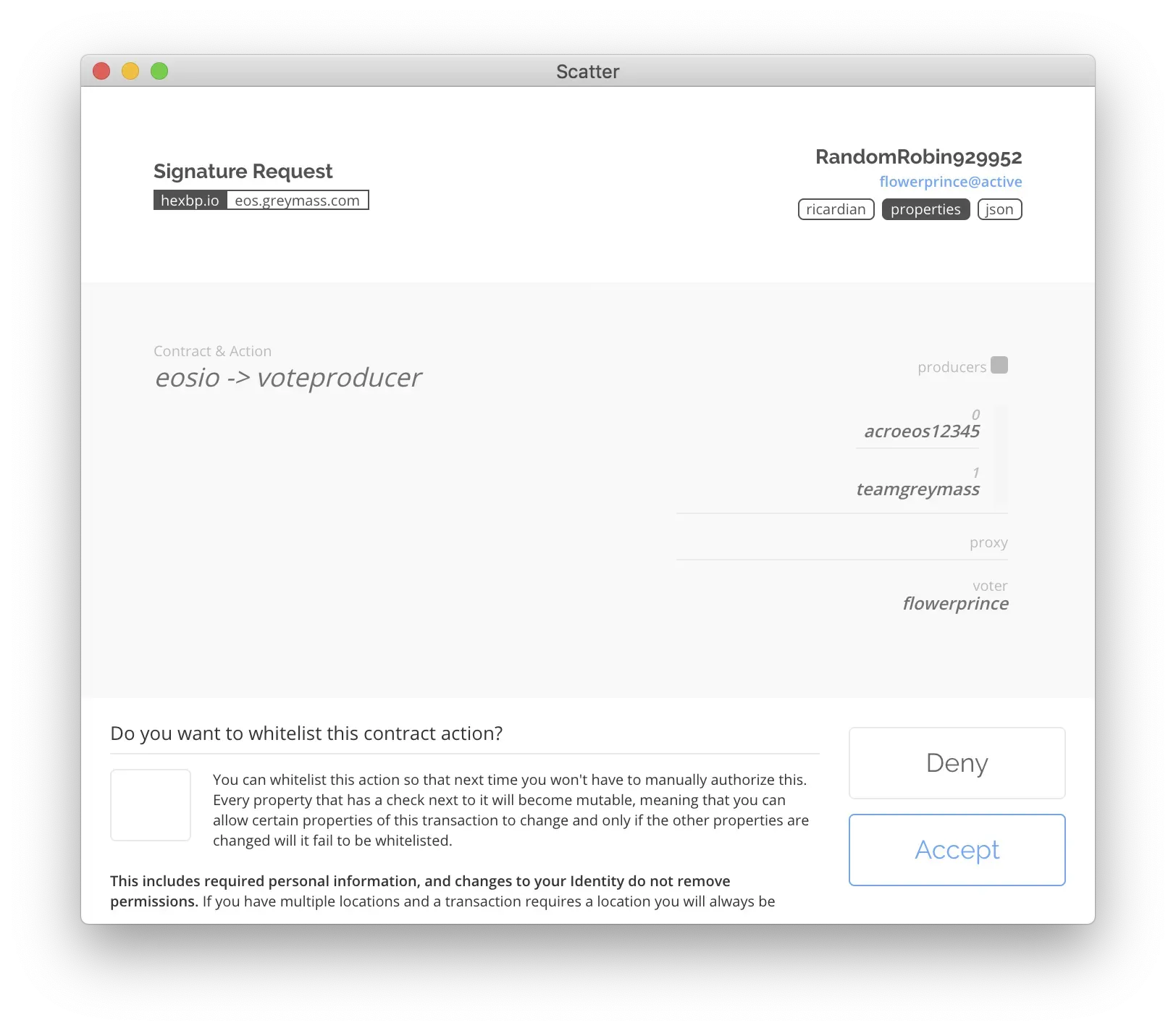
voteproducer is one of the methods eosjs generates by reading the ABI of well-known contracts — call them inside transaction the same way.
Signing out, option 1: from inside Scatter
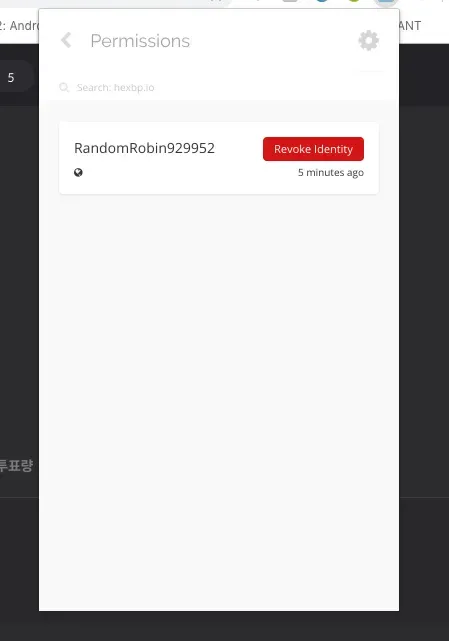
Once an account is bound through Scatter, the Permissions menu in the extension lists the connected sites:
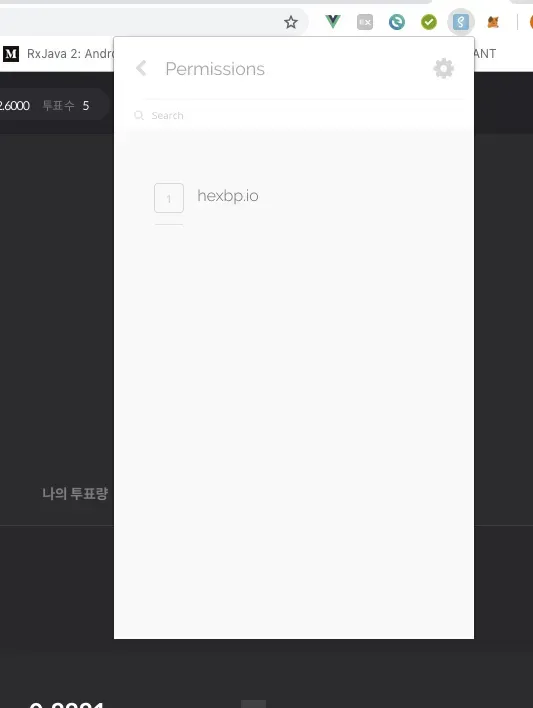
Disconnecting (signing out) is simple — pick the entry and click Revoke Identity.
Signing out, option 2: from your code (eosjs)
You can’t really expect every visitor to learn the Scatter UI just to sign out. eosjs exposes a programmatic way to do the same thing:
if(this.scatter.identity) {
    this.scatter.forgetIdentity();
}
It checks for an identity, and if one exists (i.e., Scatter is bound), calls forgetIdentity() to clear it. Same effect as option 1, just driven from your code.
That wraps up the two-post series on using eosjs and Scatter together in a web service.
In This Series
Building EOS Web Apps with Scatter
2 / 2
Keep Reading
- Sending EOS and Tokens with eosjs (2/2): Token transfer
Use the eosjs transaction method to send tokens that live in custom contracts on EOS.
Development · 2018-10-04
- Sending EOS and Tokens with eosjs (1/2): EOS coin transfer
Install and configure eosjs, then use the transfer method to send EOS coins.
Development · 2018-09-27
- Ethereum vs EOS: Who Wins?
A side-by-side look at Ethereum (gen 2) and EOS (gen 3) across usability, fees, and dApp adoption — and a guess at which platform might lead next.
Development · 2018-12-06
Discussion